
You’ve got a tour leaving in 20 minutes and three people just walked up to the counter wanting tickets. Your online booking system is full of advance reservations, but processing these walk-ups means switching to a separate POS terminal, manually updating your availability, and hoping nothing gets double-booked in the meantime.
That’s the gap that kills operational efficiency for tour and attraction operators. Two separate systems that don’t talk to each other. The fix is online booking software that integrates nicely with a point-of-sale for walk-up bookings.
Here’s what that looks like in practice, and why it matters for midmarket operators trying to capture every dollar of revenue.
Why Walk-Up Bookings Deserve More Than a Workaround
Walk-up customers aren’t edge cases. For many tour and attraction operators, they represent a significant share of daily revenue, especially at high-traffic tourist destinations, outdoor venues, or any business where weather and spontaneity drive decisions.
The problem is that most operators treat walk-ups as an afterthought. They bolt on a separate payment terminal, keep a paper log, or update availability manually at the end of the day. That works until it doesn’t, and when it breaks, it usually breaks at the worst possible moment, like a busy Saturday afternoon with a line at the counter.
What you actually need is a system where a walk-up booking is just a booking that ties into your same inventory, records, and customer database. No manual reconciliation required.
What Point-of-Sale Functionality Should Do Inside Your Booking Software
Not all POS integrations are created equal. Some booking platforms treat in-person sales as an add-on, which means you get a stripped-down experience at the counter. Here’s what to look for in a platform that takes walk-ups seriously:
- Real-time inventory sync. When a walk-up books a spot, that seat disappears from your online availability instantly. No refresh delay, buffer period or double-booking risk.
- Integrated payment processing. Credit cards, cash, digital wallets should all processed through the same system that records the booking. No manual entry after the fact.
- Fast counter workflows. Counter staff shouldn’t need five screens to process a walk-in. The best POS setups let you create a booking and take payment in a few taps.
- Waiver and document collection. If your tours require signed waivers, you need to collect those at the point of sale, not chase them down after departure.
- Offline capability. Internet goes down. A good POS handles walk-up transactions locally and syncs when the connection comes back.
The Real Cost of Disconnected Systems
The most immediate problem is overbooking. If your walk-up POS and your online booking system aren’t pulling from the same live inventory, there’s always a window where two customers can claim the same spot. That window gets wider on busy days, when staff are moving fast and don’t have time to manually refresh availability between transactions.
Reporting is the slower-burning problem. When payments run through separate systems, your end-of-day numbers require manual reconciliation before you can trust them. That’s time spent on accounting instead of operations, and it compounds weekly, monthly, and at tax time.
The customer data problem is the one most operators don’t feel until later. A walk-up customer who had a great experience is a potential repeat booker and a referral source. If their contact information disappears into a disconnected terminal, you have no way to follow up, no way to build loyalty, and no way to know whether they came back. Over a full season, that’s a meaningful hole in your marketing data.
When Walk-Up POS Becomes Essential
- High foot-traffic locations. If you’re near a cruise terminal, a popular trail, or a tourist district, a meaningful percentage of your customers will simply show up. The operators who struggle here aren’t the ones with low foot traffic. They’re the ones with high foot traffic and a counter setup that creates a bottleneck when it matters most.
- Weather-dependent activities. Outdoor tours see demand spike when the weather turns unexpectedly good. That surge is time-limited, and your ability to process walk-ups quickly during that window directly affects how much of it you capture.
- Hotel and concierge partnerships. When a concierge calls to book a guest on the spot, or a hotel partner wants to add a group at the last minute, the transaction needs to close cleanly and immediately. A slow or disconnected system at that moment costs you the booking and potentially the partnership.
- Multi-experience venues. Customers who add a second activity or upgrade at the counter are already bought in. That’s the highest-conversion moment in your operation. If your POS can’t surface those options during the transaction, you’re leaving money on the table at exactly the wrong time.
How Xola Handles Walk-Up Bookings
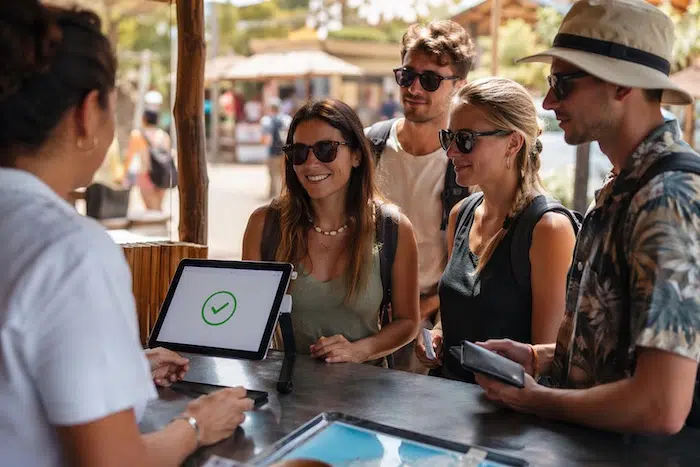
One option worth understanding for walk-up volume is a self-serve kiosk setup. Rather than routing every walk-up through a staff member at the counter, a kiosk lets guests book and pay on their own, on a tablet in your lobby.
With Xola’s Kiosk app, guests can browse available experiences, select a date and time, enter their information, and pay by credit card without staff involvement. Signed waivers can be collected in the same flow. Pre-booked guests can also use the kiosk to check themselves in, which takes pressure off the counter during busy arrival windows.
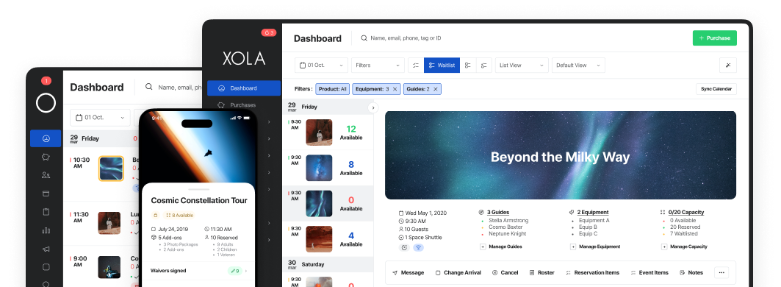
The practical upside is that one staff member can oversee multiple kiosks during peak periods, rather than having multiple people dedicated to processing transactions. Everything feeds back into the same Xola dashboard, so walk-up bookings made through the kiosk show up alongside your online reservations in real time.
Kiosks work on iPads (iOS 11 or newer) or Android tablets (10+), and pair with a Stripe M2 card reader for payment processing. For operators wondering how else kiosks fit into day-to-day operations, this article covers five practical use cases worth reading through.
If your current setup has you reconciling walk-up sales at the end of every day, or you’ve dealt with an overbooking because your systems didn’t sync fast enough, it’s worth seeing what an integrated platform looks like in practice.
Book a demo with Xola to see how the walk-up booking and point-of-sale experience works for operators at your scale.
Frequently Asked Questions
What is point-of-sale for walk-up bookings in tour software?
It’s the ability to create a booking and process payment for a customer who arrives in person without using a separate system. In platforms like Xola, walk-up bookings update your inventory in real time and feed into the same reporting as your online reservations.
Does online booking software usually include point-of-sale?
Not always. Some platforms focus exclusively on advance online reservations and treat in-person sales as a separate problem. Operators who need both channels should look specifically for software built for the tours and attractions industry, where walk-ups are a normal part of the business.
Can walk-up bookings cause double-booking issues?
They can, if your POS and online booking systems aren’t synced in real time. The risk goes away when both channels pull from the same live inventory or sync properly.
What payment types should a walk-up POS system support?
At minimum, this should include credit and debit cards. Ideally also cash tracking and digital wallets. The payment method should be recorded alongside the booking so your reporting reflects your actual revenue across all transaction types.
How does walk-up POS help with upselling?
When your point-of-sale is integrated with your full booking platform, counter staff can see available add-ons, upgrades, or complementary experiences and offer them during the transaction. That’s a lot harder to do when POS is a separate terminal with no connection to your activity catalog.
What should I look for when evaluating booking software with POS for walk-ups?
Native POS functionality rather than a third-party integration, real-time inventory sync across all channels, offline processing capability, waiver collection at the counter, and a counter interface fast enough that staff can complete a transaction without keeping a customer waiting. Xola is designed specifically with these requirements in mind for tour and attraction operators.
Does capturing walk-up customer data actually matter?
Yes. Walk-up customers who have a good experience are potential repeat bookers and referral sources. If their contact information disappears because you processed the sale on a disconnected terminal, you’ve lost that relationship. An integrated system lets you collect an email at checkout and bring that customer into your marketing funnel.